Top 10 Best Baby Tracking Apps in 2026
Between feedings, shifting naps, and piling up appointments, young parents often live according to the rhythm of an invisible schedule. Yet, for a few years now, a very tangible digital world has settled in pockets and on bedside tables: the app designed to support parenting day by day. In 2026, the range is vast, sometimes confusing, but it meets a simple need: better understand your baby, save time, and share the mental load.
In practice, these tools cover the entire journey. Some track pregnancy week by week, while others help log feeding, sleep, growth, or care. Others, finally, organize family life, protect memories, and facilitate handover with a relative or babysitter. So, how to sort, compare, and choose without getting lost? By relying on solid criteria, but also on real uses, like those of Lina and Mehdi, young parents of an infant who want a calmer routine without turning their daily life into a spreadsheet. The common thread is here: finding the balance between simplicity, reliability, and true support.
Short on time? Here’s the essentials |
|---|
Prioritize an app that synchronizes between adults, offers reliable reminders, and allows data export. Then, complement with a sleep or memory tool if needed. Finally, keep the health record and pediatrician as references for any medical questions. |
Top 10 best free and paid baby tracking apps in 2026: complete guide for new parents
Faced with a multitude of options, the simplest is to start from actual uses. Lina wanted to record feedings and diaper changes, while Mehdi was looking for a clear view of nights. One app can cover a lot, but not everything, and that’s normal.
Here is a selection of 10 popular solutions in 2026, designed for different profiles: daily tracking, sleep, pregnancy, memories, organization, and even occasional babysitting. This overview helps to choose without rushing, and especially to avoid overly complex tools when you’re already tired.
Must-have apps for successful baby tracking in 2026
| Application | For whom? | What it does (the essentials) | Strength / advantage | Availability | Offer |
|---|---|---|---|---|---|
| Baby Tracker | Parents with infant | Log of meals, diaper changes, naps, and pumps | Simple reminders + PDF export; ultra-fast entry (useful at 3 AM) | iOS & Android | — |
| Huckleberry | Sleep-focused parents | Naps, awake windows, day/night rhythm | Estimation of next slots based on history | iOS & Android | Free + Premium |
| Nara Baby | All-in-one | Feeding, sleep, diapers, notes, charts | Gentle interface, designed to avoid overload | iOS & Android | — |
| Baby Daybook | Co-parenting | Complete journal + family synchronization | “Multi-caregiver” mode (ideal when sharing care) | iOS & Android | — |
| Glow Baby | Curve enthusiasts | Daily tracking + visualization | Trends + clear dashboard | iOS & Android | — |
| Ovia Pregnancy | Expectant mom | Pregnancy tracking + week-by-week advice | Concrete checklists to prepare for maternity | iOS & Android | — |
| Flo | Cycle / pregnancy / postpartum | Cycle tracking then pregnancy + educational content | Reassuring guided journeys (often useful in first trimester) | iOS & Android | — |
| The Wonder Weeks | Development | Milestones on developmental “leaps” | Simple explanations of more restless phases | iOS & Android | — |
| FamilyAlbum | Memories | Private photo album + organization by month | Controlled sharing with relatives, no social networks | iOS & Android | — |
| Babysits | Childcare | Search + availability management | Structured matchmaking (often a real help) | iOS & Android | — |
Best pregnancy and parenting preparation apps in 2026

Pregnancy is often the time when you install your first app. You look for landmarks, but also a form of companionship, especially when loved ones are far away. The most useful tools do not drown you in info, and set reassuring milestones.
In Lina’s life, the trigger was a “maternity bag checklist” and a memo on exams. Then, she kept the tool postpartum for notes on recovery. The right choice is the one that fits your rhythm, not an ideal.
Key features and strengths of pregnancy apps for expectant moms
Weekly milestones are central, as they make progress tangible. Meanwhile, exam calendars and reminders help avoid forgetfulness, especially when work continues. Finally, content validated by professionals makes a difference when anxiety rises.
A good pregnancy app also offers “symptoms” and “questions to ask” sections. In this way, the consultation becomes more efficient, as you come with concrete info. And if a community exists, it must remain well moderated, because excessive comparisons tire people out.
Baby feeding and sleep tracking apps: top solutions in 2026
The two topics that come up most daily are feeding and sleep. We often think “it’s all in the head,” but fatigue clouds memory. Noting helps objectify, and therefore better adjust.
In the couple Lina and Mehdi, simply visualizing the schedules defused arguments. Each believed they “had done more,” while they were just doing things differently. The tool brought calm because it created a common ground.
How these apps ease daily baby management
For breastfeeding, some solutions let you note the side, duration, and sensations. Then, you can spot a pattern, like cluster feeding late afternoon. This is valuable because it avoids thinking “something’s wrong.”
For bottles, volume and timing are tracked effortlessly, and alerts can remind about vitamin D intake. Regarding sleep, awake windows and bedtime routines are often suggested. You save time while reducing trial and error.
Finally, some apps offer soothing sounds, timers, and free notes. When a night is tough, rereading your own notes helps understand what changed. This clarity becomes a real lever for serenity.
Apps specialized in medical tracking and care reminders for baby
Medical care requires special attention because trust is the foundation. A tool can remind of a vaccine or check-up, but must never sow doubt through inaccurate info. Here, less promises and more rigor is better.
For Mehdi, the decisive point was the export of fever dates, treatments, and reactions. The pediatrician saved time, and the appointment was more useful. Thus, we see the benefit of precise tracking without dramatization.
Importance of a reliable app with validated data and personalized reminders
A reliable app clearly states its sources and limits. It offers personalized reminders, for example for a 4-month visit, or an iron cure if prescribed. Then, it avoids automatic diagnoses, as these create false emergencies.
The right reflex is to note symptoms, timing, and what relieves. That way, you arrive at the doctor with a structured account. And if the tool offers a growth journal, it’s useful because you can spot trends without interpreting alone.
Apps for managing baby activities, photos, and memories: what to choose in 2026?
Memories are not just aesthetic. They also help get through difficult times because you see the journey traveled. Yet, a phone quickly overflows with photos, and albums get lost.
Dedicated tools create a clear timeline, often by month, and facilitate sending to grandparents. This also avoids publicly exposing the child. The right choice depends on the desired level of confidentiality and ease of sorting.
Innovative features to keep track and share key moments
In 2026, some options offer automatic captions, “that day” memories, and on-demand paper prints. Others add audio capsules, like the first giggle. And for sharing, access settings are essential, because not everyone needs to see everything.
One anecdote speaks for itself: Lina recorded a short voice note during the first calm bath. Three weeks later, during a crying phase, she listened to it again, and it helped her breathe. Small chosen digital rituals really support.
Communication and family organization apps around the baby
When several adults care for the baby, organization becomes a challenge. Messages cross, information gets lost, and everyone does “their way.” A shared app can become a common dashboard without rigidity.
In practice, you can distribute tasks, schedule appointments, and avoid duplicates. It’s also useful for separated families, as it secures continuity. And when fatigue rises, relational clarity counts as much as schedules.
Multi-device synchronization and sharing with the parental circle
Multi-device synchronization is a strong criterion. So, one logs a diaper change, and the other sees the info immediately. Then, permissions management must be fine-tuned, as a grandparent doesn’t need access to everything, while a co-parent does.
For sharing info with a nanny, a “guest” mode is ideal. It limits access while allowing logging meals and naps. This organization reduces tension because it is based on facts, not impressions.
2026 comparison: essential criteria to choose your baby tracking app well
Comparing doesn’t mean testing everything for weeks. It’s often enough to evaluate some key points, then try for 48 hours. Overwhelmed parents need a tool that fades away, not an extra project.
Sorting starts with reliability, then continues with ergonomics. Then, look at security and capacity to evolve with age. This logic avoids switching every two months.
Reliability, ergonomics, data protection and adapted features
Reliability rests on supervised content, especially for health. Meanwhile, data protection must be clear: GDPR, secure storage, and limited permissions. An app asking for geolocation without reason is to avoid.
Then, ergonomics matter a lot. A “add feeding” button must be accessible within one second. Finally, features must fit reality: multi-child, notes, export, and reminders.
Criterion | What it changes daily |
|---|---|
Synchronization | Fewer messages, more continuity among adults. |
Data export | More efficient appointments and preserved history. |
Reminders | Fewer forgettings for care, visits, and routines. |
Confidentiality | Peace of mind about photos, health, and habits. |
Advantages and limits of free vs paid baby tracking apps
Free versions are often enough to start. They allow noting the essentials and understanding needs. Yet, after a few weeks, some parents want to go further.
Paid plans generally add analyses, advanced advice, and more extensive export options. It’s not about buying “better love,” but time and clarity. The important thing is to pay for real value, not for gimmicks.
What each option brings according to parents’ specific needs
With free, you often get a simple journal and some reminders. This is ideal if the baby has a stable rhythm or if you just want a reference point. On the other hand, premium sometimes brings analyses, including statistics on sleep trends.
For a family alternating several care modes, advanced synchronization and export are a real plus. And if breastfeeding is difficult, a detailed observation module can help to discuss with a consultant. Buying becomes relevant when it reduces mental load.
Practical tips to optimize use of baby tracking apps in 2026
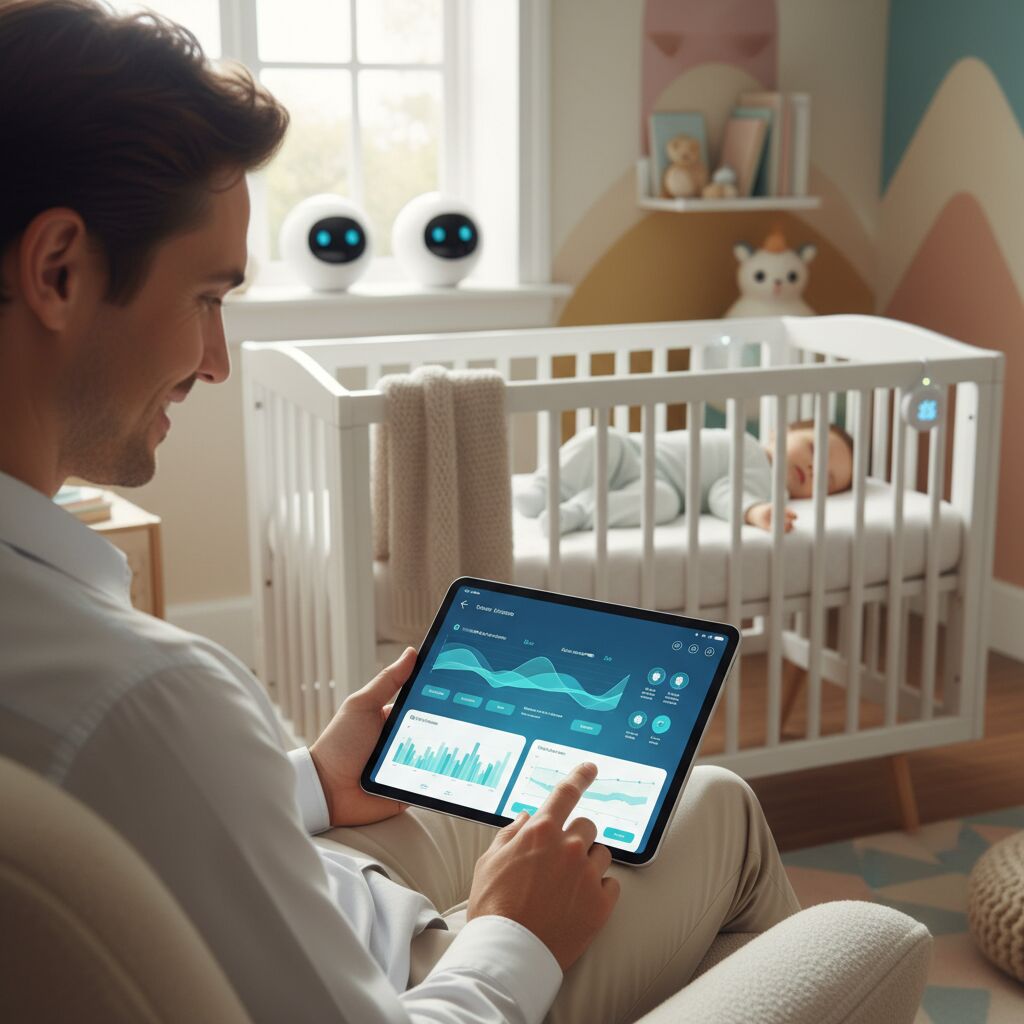
An app only helps if it remains simple. The trap is measuring everything, then burning out. Better to choose three useful indicators, then adjust.
Lina started with meals and sleep, then added care when appointments multiplied. This progression avoided feeling “watched by her phone.” Comfort comes from a light routine.
Create personalized profiles, save data and share with professionals
Creating a profile per child is essential in case of siblings. Then, activating automatic backup avoids disaster from a lost phone. Finally, PDF or CSV export is valuable if a health professional requests history.
Also think about alerts: vaccines, treatments, and appointments. Moreover, keeping a “notes” area helps connect events, like a short night after an overstimulating day. The tool then becomes an intelligent notebook, but without excess.
Start small: 2 to 3 key entries, then broaden if needed.
Set useful reminders but limit non-urgent notifications.
Export once a month to keep an independent record.
Combine several complementary apps for comprehensive and effective baby tracking
One app can be central, but a duo often works better. Keep a “daily journal,” then add a specialized tool. This avoids overloaded interfaces.
Mehdi kept a simple meals journal, while choosing a more precise sleep tool. Result: less confusion and clearer action. Complementarity is a strategy, not stacking.
Feeding, sleep, activities, photos: how to combine tools
Combining a meal/sleep journal with a private photo album is often enough. Then, an activity tool can be added around 6–9 months, when awakening explodes. Finally, a “family organization” app can take over when schedules get complex.
A simple tip: check that each tool has a clear role. Otherwise, you double entries and give up. The golden rule remains fluidity, because useful tracking must stay easy.
Classic medical tracking versus baby tracking apps: an indispensable duo in 2026
The health record and consultations remain the basis. Digital tools, meanwhile, provide a fine memory of daily life. Together, they form a very solid duo because they complement each other.
When a parent notes reflux episodes or a nighttime cough, the doctor has a context. Conversely, the professional provides analysis and decision. This split protects the family and reassures.
Why apps are a digital complement and not a replacement for the health record
An app may forget a detail or show too general content. The health record follows the child through all services, and it has official value. That’s why you have to keep both while avoiding self-diagnosis.
In case of doubt, the rule is simple: consult. Then, notes help explain better, speeding up care. Digital then becomes a support, not an arbiter.
Choose your baby tracking app in 2026 according to needs, budget and compatibility
The best tool is the one you still open after two weeks. To get there, you must be honest about your priorities: sleep, meals, care, memories, or organization. Then, look at iOS/Android compatibility and synchronization options.
Budget also matters, but it is judged by use. If a premium plan prevents disputes and forgettings, it may be worth the cost. Conversely, if it just adds screens, it’s useless.
Test, compare and select for easier parenting
Testing means simulating a real day. You note a feeding, a change, a nap, then verify access on a second phone. Then, try an export, because often everything hinges there.
Also look at requested permissions and privacy policy. Finally, choose an interface that soothes, because parenting doesn’t need extra stress. A good decision is one that makes daily life lighter.
Innovations and trends 2026 in baby tracking apps
The sector evolves quickly, and 2026 marks maturity. We see tools that analyze routines without guilt, and propose simple adjustments. The idea is no longer “measure everything,” but “understand better.”
These advances recall a broader movement already visible in connected health over the last decade: less gadgets, more relevance. And when well done, innovation becomes discreet, therefore useful.
Artificial intelligence, health messaging and interactive features
Artificial intelligence mainly helps spot patterns, like a recurring sleep window. Then some apps integrate health messaging, with sorting of questions and supervised answers. This does not replace consultation but guides.
We also see interactive modules for awakening, with simple games and age-appropriate milestones. Finally, dashboards become more readable, emphasizing growth and overall well-being. At heart, the best novelty remains one that supports without invading.
“In parenting, the best technology is the one that makes tenderness more available.”
{“@context”:”https://schema.org”,”@type”:”FAQPage”,”mainEntity”:[{“@type”:”Question”,”name”:”Combien de temps faut-il pour voir lu2019intu00e9ru00eat du2019une application de suivi au quotidien ?”,”acceptedAnswer”:{“@type”:”Answer”,”text”:”Souvent 2 u00e0 4 jours suffisent, car on repu00e8re du00e9ju00e0 les horaires ru00e9currents des repas et des siestes. Ensuite, au bout de deux semaines, les tendances deviennent plus claires, surtout si deux adultes saisissent les informations.”}},{“@type”:”Question”,”name”:”Quelle application choisir si lu2019on veut surtout amu00e9liorer le sommeil ?”,”acceptedAnswer”:{“@type”:”Answer”,”text”:”Un outil spu00e9cialisu00e9 comme Huckleberry est pertinent si vous cherchez des repu00e8res sur les fenu00eatres du2019u00e9veil. Cependant, gardez un journal simple en parallu00e8le si vous voulez aussi noter repas, changes et soins sans complexitu00e9.”}},{“@type”:”Question”,”name”:”Peut-on partager les donnu00e9es avec un pu00e9diatre ou une sage-femme ?”,”acceptedAnswer”:{“@type”:”Answer”,”text”:”Oui, si lu2019application propose un export (PDF ou autre format) ou un ru00e9capitulatif clair. Avant le rendez-vous, su00e9lectionnez une pu00e9riode courte et pertinente, car un document trop long est rarement exploitu00e9.”}},{“@type”:”Question”,”name”:”Les versions payantes sont-elles vraiment nu00e9cessaires ?”,”acceptedAnswer”:{“@type”:”Answer”,”text”:”Elles deviennent utiles si vous avez besoin du2019analyses, du2019exports avancu00e9s, du2019une synchronisation poussu00e9e, ou de modules spu00e9cifiques. Sinon, une version gratuite bien choisie couvre du00e9ju00e0 lu2019essentiel pour le quotidien.”}}]}How long does it take to see the benefit of a daily tracking app?
Often 2 to 4 days are enough, as you already spot recurring meal and nap times. Then, after two weeks, trends become clearer, especially if two adults enter the information.
Which app to choose if you mainly want to improve sleep?
A specialized tool like Huckleberry is relevant if you’re looking for landmarks on awake windows. However, keep a simple journal in parallel if you also want to note meals, diaper changes, and care without complexity.
Can you share data with a pediatrician or midwife?
Yes, if the app offers an export (PDF or other format) or a clear summary. Before the appointment, select a short and relevant period, as a document that’s too long is rarely used.
Are paid versions really necessary?
They become useful if you need analyses, advanced exports, enhanced synchronization, or specific modules. Otherwise, a well-chosen free version already covers the essentials for daily life.
Becoming parents means integrating a huge amount of new information!
We share with you the baby tracking apps that greatly ease our daily life as young parents.
They allow us to quickly access the right information at the right time.
This baby tracking app is the follow-up to Grossesse +, which we loved during pregnancy. Free, it’s a true Swiss army knife.
In my view, it is complete because it offers both daily and baby development tracking (growth, sleep, diapers, feeding/bottle), a guide (development, activities), as well as tools (lullabies, white noise, doctor visits).
Bébé + nous is mainly used to note meal times (but also diaper changes or naps) and have precise rhythm tracking.
For those who bottle-feed, the app allows noting quantities and knowing cumulatively how many ml the baby drinks each day. You can also track the curve of quantities drunk, weight evolution, height, and head circumference.
Another functionality we really like is development: it’s a mini guide explaining physical, social, and emotional baby development according to age.
Finally, we like the “key milestones” feature. It allows noting dates of baby’s big advances: first spontaneous smile, first social smile, first time bursting out laughing, etc… All these fleeting moments, whose dates we normally quickly forget, are recorded on a timeline that allows taking a step back on baby’s development.
The next feature we will use is teeth: you can specify which tooth appeared on what date, and again it’s very easy and visual. There are also reference data for average ages of appearance for each tooth.
My wife was already using this app during pregnancy to choose healthy foods and limit weight gain. She now uses Yuka to determine the quality of baby products she buys: creams, wipes, diapers. By scanning the barcode, she instantly knows if the product composition has no risky ingredient.
It’s an app we’ll try with Gabriel when he’s a bit older. It offers images of over a hundred animals. Just click on them to hear the sound the animal makes 🐶
And otherwise, here are some books my husband and I still regularly leaf through:
Which baby tracking apps do you use the most on your side❓ Tell us in the comments below 😊