Baby Monitor Application: Turning 2 Smartphones into a Baby Monitor (Free vs Paid)
| Short on time? Here’s the essentials |
|---|
|
Two phones, a quiet room, and that little moment where adults hold their breath: a toddler’s sleep is precious, but it can also be a source of worry. Yet, the smartphone transformation into a baby monitor has changed the game. On one side, an old device that was sleeping in a drawer becomes useful again. On the other, the everyday phone turns into a parent unit, with alerts, listening, sometimes video, and even some baby monitoring features. This solution appeals because it seems obvious: no box to carry, no immediate purchase, and setup in a few minutes. However, the choice between a free baby monitor and a paid baby monitor raises very concrete questions: audio quality, battery life, network stability, and above all privacy. Because monitoring a baby also means protecting their privacy and that of the family.
In families, one scenario often comes up: weekend at relatives’ place, distant room, thick walls, and the need to hear a wake-up or cry. In this context, a well-chosen parenting app can reassure without overloading the suitcase. On the other hand, a poorly configured solution can multiply false alerts and exhaust nerves. So, how to choose, configure, and use these apps wisely? And especially, what criteria tip the balance towards a paid version?
In short
- ✅📱 Plan for 2 devices: one fixed “baby” unit, one mobile “parent”, each with the app.
- ✅🔊 Prioritize audio for the night: it’s the basis of a reliable baby monitor.
- ✅🌙 Check night mode: useful, but often less effective than a real infrared camera.
- ✅🔋 Optimize battery and charging: stable stand, long cable, and screen off if possible.
- ✅🔐 Secure accounts and network: strong password, protected Wi‑Fi, limited permissions.
- ✅💶 Switch to a paid baby monitor if you need 4G/5G, stable HD video, or advanced options.
Baby monitor app: understanding the smartphone transformation into a daily baby monitor
The principle is simple, and that’s exactly what makes it appealing. First, a smartphone (or tablet) is placed near the bed, at a safe distance. Then, a second device stays with the adult. Thanks to the baby monitor app, the first device transmits sound, and sometimes video, to the second. Thus, baby monitoring becomes a discreet, almost natural gesture, like checking a notification.
However, good use relies on concrete details. For example, the “baby” device must be placed on a stable stand, oriented without risk of falling. Also, reachable cables should be avoided. On this point, a useful reminder is found in tips to prevent baby falls, as a room changes quickly once the child moves more. Finally, the camera angle must remain simple: the goal is safety, not intrusive surveillance.
Audio, video, alerts: what we really expect from a baby monitor on a smartphone
At night, audio is often the best ally. Indeed, it consumes less energy and transmits the essentials: breathing, small moans, clear cries. Then, noise alerts help sleep more peacefully because the parent’s phone doesn’t need to be listening constantly. However, sensitivity needs to be adjusted. Otherwise, heating, a distant car, or even a crumpled comforter triggers a useless alert.
Video, on the other hand, adds a real emotional plus. Seeing that the baby falls back asleep alone can soothe immediately. Nevertheless, in low light, quality depends a lot on the sensor. Most phones don’t have infrared night vision. So, the image can be grainy, even if the audio remains excellent. This compromise explains why some families use video mainly during the day and audio at night.
Concrete example: the “closed doors” evening at friends’ house
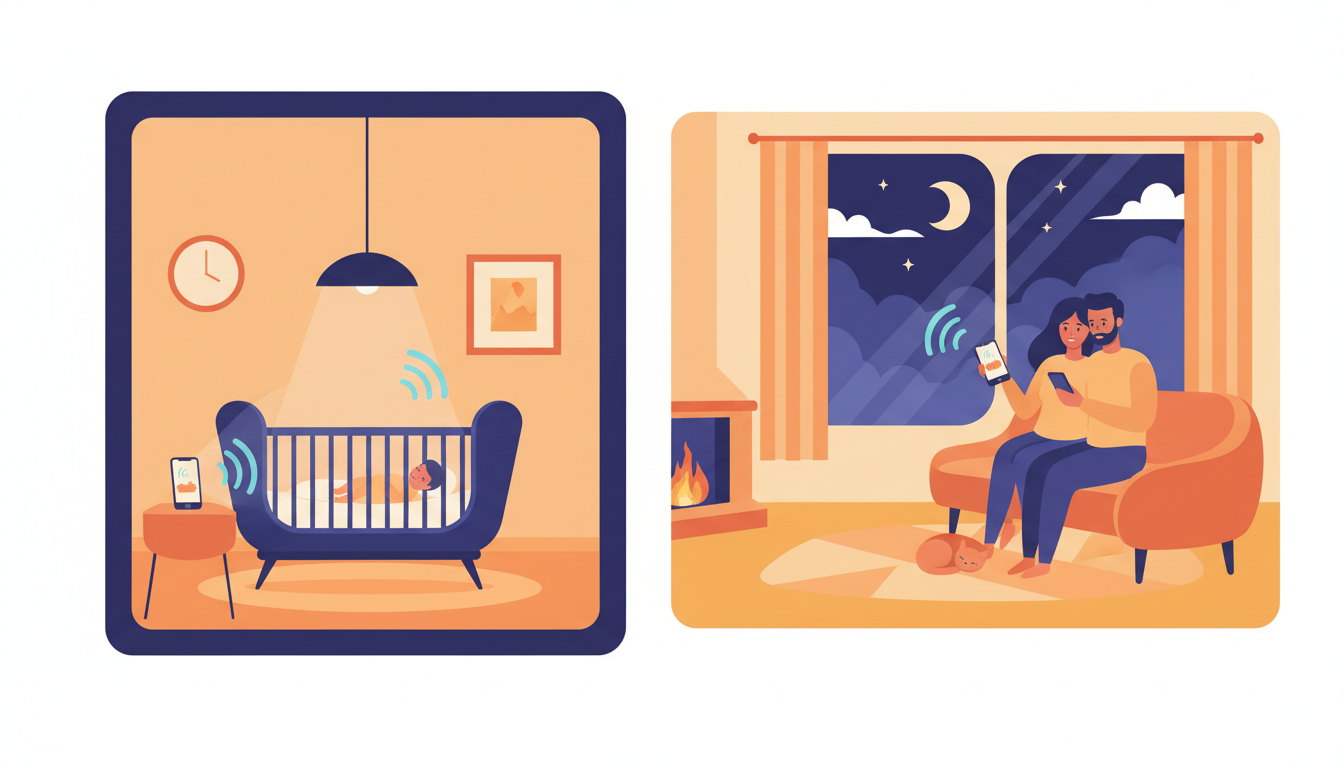
Imagine a couple invited over, with a baby settled in an upstairs room. Thanks to the smartphone transformation, an old phone stays near the bed in airplane mode with Wi‑Fi enabled, screen off, and plugged in. Meanwhile, the parents’ phone displays an alert only in case of crying. Thus, the evening continues, but attention remains available. And if a doubt arises, listening activates with a gesture. This simplicity creates real relief because vigilance happens without constant tension.
Free vs paid: choosing a free baby monitor without mistakes, and knowing when to upgrade to premium
A free baby monitor attracts because it removes an immediate barrier. However, free does not mean “no cost.” In reality, the price shifts: mobile data, battery, time limits, or locked options. So, the right choice depends on the context: home, travel, occasional care, or video needs.
At home, Wi‑Fi often suffices. Thus, a free app can cover 80% of uses. In contrast, as soon as you need to go outside the home network, paid versions become more relevant. They offer 4G/5G connection, better stability, or superior video quality. And above all, they sometimes include smarter, less intrusive alerts.
Luna (iOS): battery life and background operation
On Apple devices, Luna stands out thanks to smooth background operation. In other words, the parents’ phone can remain usable while continuing baby monitoring. Additionally, the app warns if the connection drops, avoiding a false sense of security. Finally, the focus on battery is a real asset because a full night requires consistency. The premium version, around a few euros, opens use beyond Wi‑Fi, bringing Luna closer to a paid baby monitor designed for mobility.
WiFi Baby Monitor (Android): free audio, sensors and video as options
On Android, some solutions offer free access focused on audio. This is often enough to start. Then, additional functions may be appealing: ambient temperature, air quality, and a richer dashboard. However, video usually requires a purchase. This model makes sense: audio protects the essentials, while premium finances video streams and servers.
Dormi (Android): multi-parents, but monthly limits
Dormi is for families who want to connect several devices on the adults’ side. For example, a parent, a babysitter, and a relative can receive alerts. This is very convenient during an evening or care relay. Moreover, two-way communication allows speaking to the baby, which can calm a light waking. However, free use is limited in time. So, if the app becomes a ritual, purchase eventually becomes necessary, even though a single license may suffice depending on group mode.
At this point, one question helps decide: is baby monitoring mostly “as needed” or “every day”? In the second case, stability and peace of mind often justify the investment.
For further insight on parents’ overall equipment, some accessory selections offer good ideas, such as practical accessories for parents, because a good phone stand or suitable cable changes everything daily.
Baby safety and privacy: making a parenting app truly reliable
Technology reassures, but it must stay in its place. Baby safety is not just about hearing a cry: it also includes protecting data, images, and family privacy. Yet, a baby monitor app involves sensitive streams. So, a few simple rules avoid unnecessary risks while keeping the solution comfortable.
Network, accounts, permissions: the trio to lock down
First, Wi‑Fi must be protected by a strong password. Next, accounts used in the app should have robust authentication if available. Finally, permissions must remain coherent: microphone and camera yes, but not necessarily contacts or permanent location. Thus, the smartphone transformation remains a tool, not an open door.
Besides, it’s preferable to use a dedicated “baby” device. For example, an old phone reset, without messaging, and with minimal apps. This limits notifications and reduces distractions. And if the app offers a pairing code, it must stay private, even within the family.
Legal framework and good practices when a third party cares for the child
When a babysitter or nanny is involved, transparency protects everyone. Informing that an audio device exists in the room, and explaining its purpose, avoids misunderstandings. Moreover, the subject is regulated and deserves to be understood before installing a monitoring system. A useful reference is found in this guide on the law around surveillance cameras with a nanny. Thus, trust remains central, and technology stays a discreet support.
Realistic scenario: the false alert that wakes everyone
An alert that is too sensitive can trigger repeatedly, especially if the window is ajar. Result: the parent gets up, stress rises, and sometimes the baby wakes because of the back-and-forth. To avoid this, sound threshold should be set higher, and a delay activated. Some apps also offer “on-demand” listening. This option calms things down because the adult chooses when to check. Ultimately, the best security is the one that doesn’t exhaust.
Well-secured monitoring naturally raises the next question: how to get stable quality without devices overheating or draining the battery before midnight?
Audio/video quality, battery, and network: achieving baby monitoring without technical stress
The promise of a baby monitor on a phone hangs by a thread: reliability. To achieve it, three elements dominate: hardware quality, power, and connection. Fortunately, simple settings often suffice. And when well set, the evening becomes light again, as the mind no longer watches every micro-interruption.
Choosing which smartphone becomes the “camera”: a detail that changes everything
The best phone doesn’t necessarily have to stay in the room. On the contrary, the “baby” device can be an old model but with a decent microphone. Then, it must capture the Wi‑Fi well. If the signal is weak, a repeater or moving a few meters can improve everything. Moreover, a stable support prevents the field of view from tipping over. Finally, a “do not disturb” mode prevents unwanted sounds.
Battery life: avoiding a 3 a.m. failure
Battery is often the weak point. So, the “baby” device should ideally stay plugged in, with a cable out of reach. Meanwhile, the screen can stay off if the app allows it. Some apps handle background better, which limits heating. And if the room is warm, ventilation should be monitored because an overheating phone sometimes cuts off functionalities.
For the “parent” device, the strategy differs. It must remain available but without monopolizing the hand. Thus, headphones can help in noisy environments, while vibrating notifications often suffice at night. This setting reduces stress as the alert stays clear without overwhelming.
Wi‑Fi vs 4G/5G: when distance requires a paid baby monitor
On Wi‑Fi, latency is low and data consumption is zero. It’s perfect at home and even in a well-equipped rental. In contrast, if a parent wants to go buy bread, or if the baby sleeps at grandparents’ while an adult walks around, 4G/5G becomes useful. This mode is often linked to a subscription or a premium option. It’s logical: the stream must transit via servers, and technical management costs more.
Example: vacation rental, thick walls, and busy road
In some accommodations, Wi‑Fi is unstable and walls weaken the signal. Then, audio can “cut out” at the worst moment. A solution is to bring the router closer or place the “baby” device in a better-covered area while keeping the bed in view. And if outside noise triggers alerts, a higher threshold helps, while a directional microphone, if available, improves relevance. This balance turns a frustrating experience into a reassuring routine.
When sleep becomes the focus, it can be useful to explore additional references like tips about baby’s sleep, because good sleep hygiene also reduces night wakings and alerts.
Advanced uses: two-way communication, sleep tracking, and sensitive situations
A parenting app can go beyond simple sound transmission. Some options, when well used, become real emotional support. However, they must serve the family and not the other way around. Because the more features there are, the more simple limits must be set to avoid turning the room into a control center.
Talking remotely: soothing without overstimulating
Two-way communication allows reassuring a baby by whispering a few words. It’s precious, especially during brief awakenings. However, this function should remain occasional. Otherwise, the child may seek the voice instead of falling back asleep. So, it is better used as a gentle “bridge” then let calm return. In practice, a short sentence and a slow tone often suffice.
Sleep history: useful, but to be interpreted gently
Some apps display rest durations or estimated cycles. This can help spot a rhythm, especially when fatigue blurs references. However, this data is not medical truth. It reflects sounds, movements, or silence periods. So, it guides but does not judge. On the other hand, noting a baby wakes every evening at the same time can help adjust bedtime or sound environment.
Delicate situations: when baby monitoring must rhyme with clinical vigilance
Some events tip worry into urgent feeling. After a high fever, for example, adults may want to hear every breath. In these periods, an app can support by offering remote presence. Yet, it does not replace medical advice or direct observation if something worries. When a family has already experienced an alarming episode, it benefits from clear information on warning signs and what to do, as in this story and these references after a convulsion in a one-year-old baby. Well-used technology accompanies but should never bear decision weight alone.
Checklist for peaceful use (to remember mentally before night)
- 🔌 Secure charging: cable out of reach, stable stand, ventilated device.
- 📶 Tested connection: 30-second trial, then alert for connection drop checked.
- 🔔 Adjusted notifications: suitable sound threshold, vibration prioritized at night.
- 🔐 Protected access: strong password, dedicated “baby” device if possible.
- 🌙 Realistic night mode: audio preferred if video is too dark.
And in the end, the goal remains simple: to sleep a little better because vigilance has turned into trust.
“When technology gets discreet, love takes over entirely.”
{“@context”:”https://schema.org”,”@type”:”FAQPage”,”mainEntity”:[{“@type”:”Question”,”name”:”Does a baby monitor app work without Wi‑Fi?”,”acceptedAnswer”:{“@type”:”Answer”,”text”:”Yes, but it depends on the service. Some apps work on 4G/5G via mobile data, which often corresponds to a paid baby monitor option. At home, Wi‑Fi remains the most stable and economical choice.”}},{“@type”:”Question”,”name”:”Which device to choose as the “baby” phone for reliable baby monitoring?”,”acceptedAnswer”:{“@type”:”Answer”,”text”:”A smartphone with a good microphone, stable Wi‑Fi connection, and decent battery suffices. It is better to favor a dedicated device, reset and stripped of apps, to limit notifications and improve baby safety.”}},{“@type”:”Question”,”name”:”Are free apps safe enough for baby monitoring?”,”acceptedAnswer”:{“@type”:”Answer”,”text”:”They can be, provided the network and access are secured: protected Wi‑Fi, private pairing code, strong passwords, and limited permissions. However, if privacy or mobility stability is critical, a premium solution often provides more practical guarantees.”}},{“@type”:”Question”,”name”:”How to reduce false noise alerts with a baby monitor on smartphone?”,”acceptedAnswer”:{“@type”:”Answer”,”text”:”Sensitivity should be adjusted, a delay activated if available, and parasitic noises (window, fan) limited. “On-demand” listening can also help as it avoids reacting to every micro-sound.”}}]}Does a baby monitor app work without Wi‑Fi?
Yes, but it depends on the service. Some apps work on 4G/5G via mobile data, which often corresponds to a paid baby monitor option. At home, Wi‑Fi remains the most stable and economical choice.
Which device to choose as the “baby” phone for reliable baby monitoring?
A smartphone with a good microphone, stable Wi‑Fi connection, and decent battery suffices. It is better to favor a dedicated device, reset and stripped of apps, to limit notifications and improve baby safety.
Are free apps safe enough for baby monitoring?
They can be, provided the network and access are secured: protected Wi‑Fi, private pairing code, strong passwords, and limited permissions. However, if privacy or mobility stability is critical, a premium solution often provides more practical guarantees.
How to reduce false noise alerts with a baby monitor on smartphone?
Sensitivity should be adjusted, a delay activated if available, and parasitic noises (window, fan) limited. “On-demand” listening can also help as it avoids reacting to every micro-sound.